From integration to the first campaign
in a few minutes.
Connect your site and publish your first personalized experience quickly. A workflow designed for those who don't have time to waste on code.
Connect via GTM or direct HTML. Forget the tickets.
Don't wait for the next sprint. Use Google Tag Manager to publish PowerBiz in seconds or paste the script directly into the source code (Wordpress, Shopify and other platforms supported). Once installed, you will have complete freedom to manage campaigns without ever opening a ticket to the IT team again.
- Google Tag Manager: paste the tag and publish — zero extra code
- Universal Integration: works on any website via simple HTML code injection
- Asynchronous script — does not block page loading
Create visually with everything you need at hand.
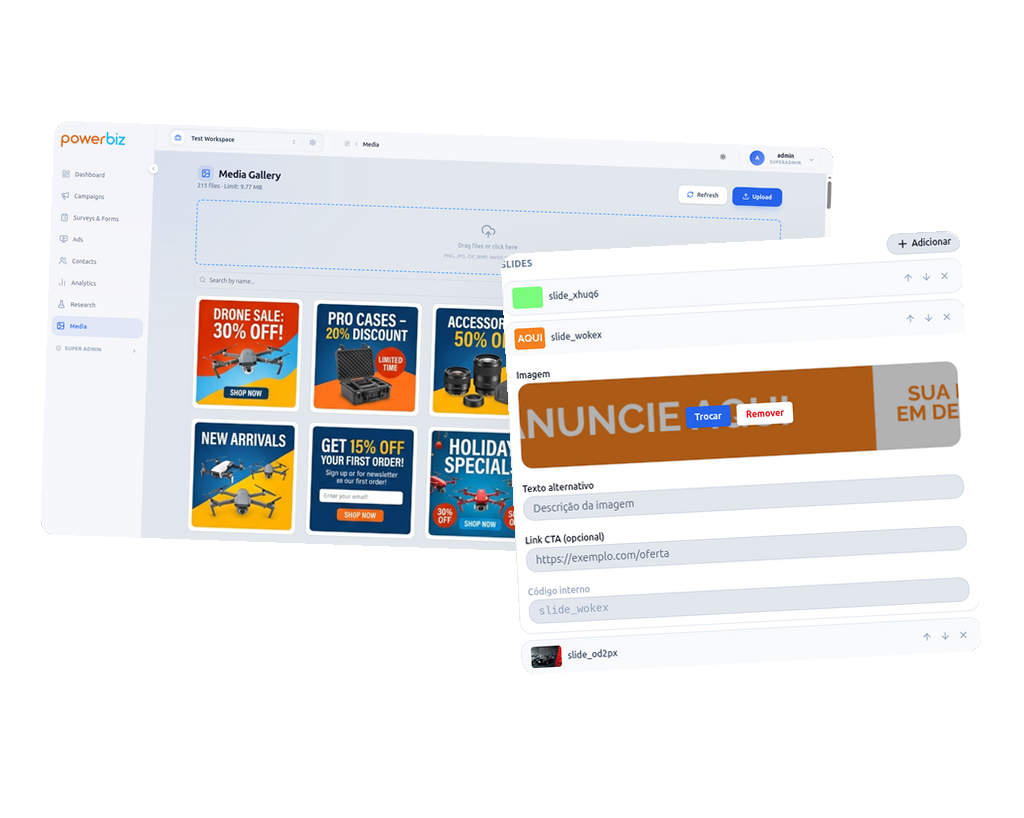
Use the editor point-and-click to personalize every detail: change texts, adjust brand colors and define sizes precisely. With the Integrated Media Gallery, you upload and host your images directly in PowerBiz, inserting banners and photos into your campaigns in seconds.
- Point-and-click visual editor on your real website
- Image hosting included with own Media Library
- Personalization of texts, colors and images in real time
- Professional templates or creation from scratch in minutes
Target & Activate. Your campaign live in seconds.
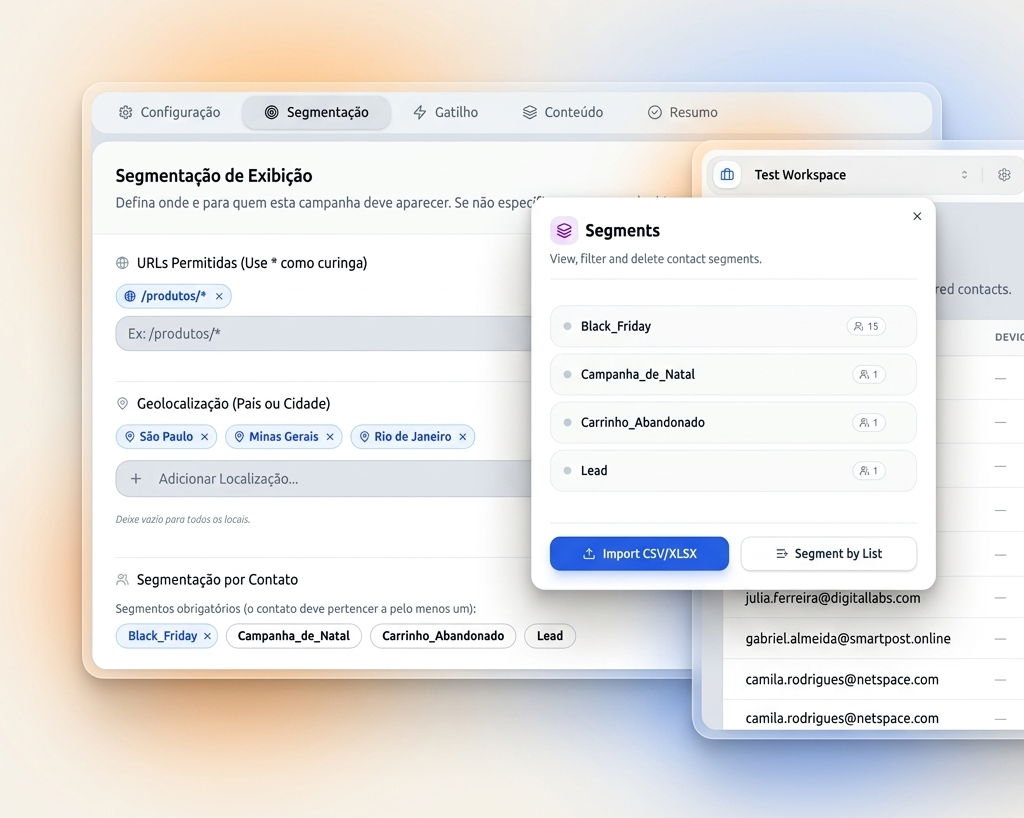
Define who to show it to, when to show it and how often. Combine criteria from URL, behavior, geolocation, and user attributes. Publish with one click.
- 100+ targeting criteria: URL, UTM, geo, device, behavior
- Triggers: exit intent, scroll depth, time on page, click
- Scheduling by date and time, for start and end
- A/B testing set up before publishing
Measure. Learn. Repeat. Optimize.
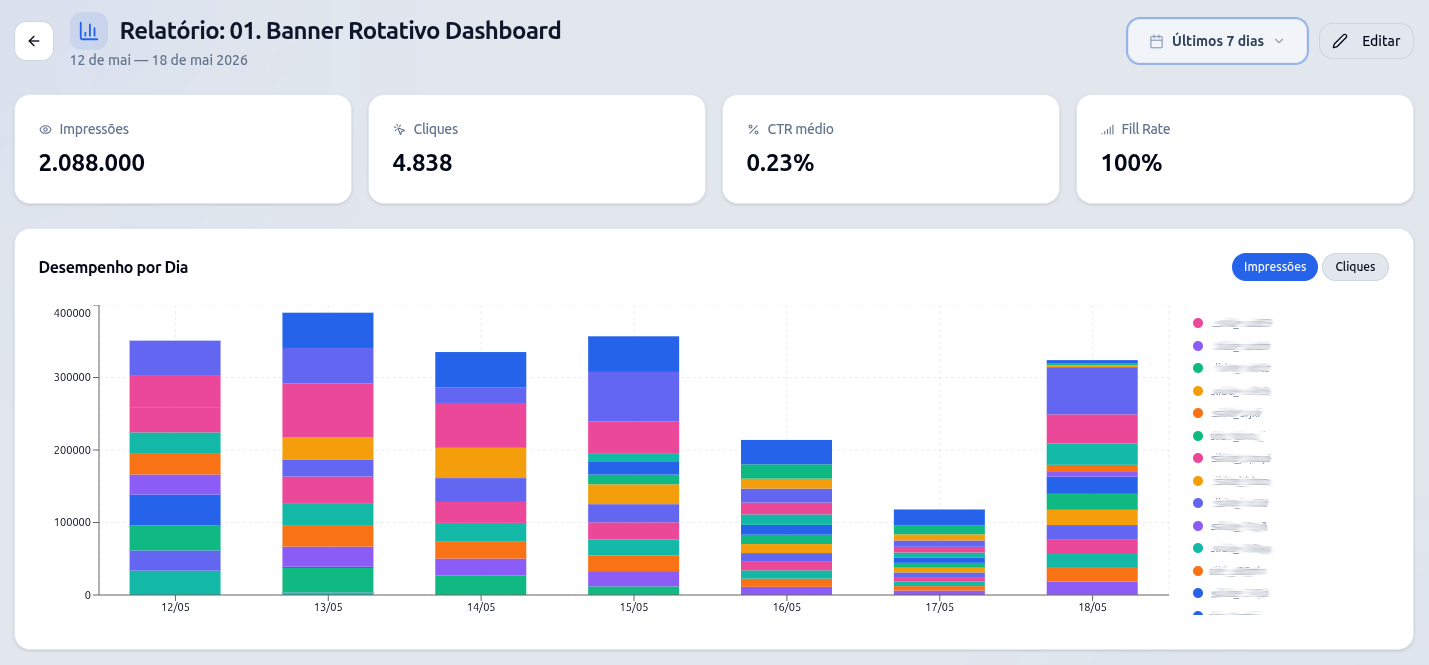
Real-time analytics shows the impact of each campaign. A/B results updated continuously. NPS and CSAT consolidated in the same panel. Make decisions with data, not guesswork.
- Real-time dashboard: impressions, clicks, conversions
- Live updated Bayesian win probability
- NPS and CSAT by segment and period
- Export data in CSV/XLSX at any time
How PowerBiz works underneath
An asynchronous script that does not impact your site's performance. Decision engine with minimal latency.
Asynchronous scripting
THE pbz.min.js loads in parallel, without blocking page rendering. Zero impact on performance.
Data capture
Dozens of data are measured, from browser model, scroll, page loading time and others.
Decision engine
Segmentation rules processed to deliver the ideal campaign.
Identity stitching
Unified cross-device profiles in real time. The same user is recognized on mobile and desktop automatically.
Privacy by design
Data anonymized by default. LGPD and GDPR Compliance. No third-party cookies. No data sharing.
Domain Control
Specifically authorize which domains can use your token. Ideal for staging vs production or multi-brand environments with total security.
Subdomain Journeys
Continuous tracking between different subdomains (e.g. blog, store and app). The user is recognized with a first-party cookie, ensuring the journey.
Ready to see PowerBiz on your website?
Schedule a demo and let's install it together, create 2 real campaigns and show the first results.